Karo.bot vs Tasks.Bot for Natural Language Automation Software
Your team already runs on WhatsApp. Adding another app for tasks means another login nobody opens. That gap between where work happens and where tasks get logged is where follow-ups die.
This comparison looks at Karo.bot and Tasks.Bot as natural language automation tools, covering how each handles voice notes, task assignment, and reporting. You will see where Tasks.Bot fits, what its WhatsApp-native setup and field team tools offer, and how to decide which option suits how your team actually works.
What Is Tasks.Bot? Natural Language Automation Built Inside WhatsApp
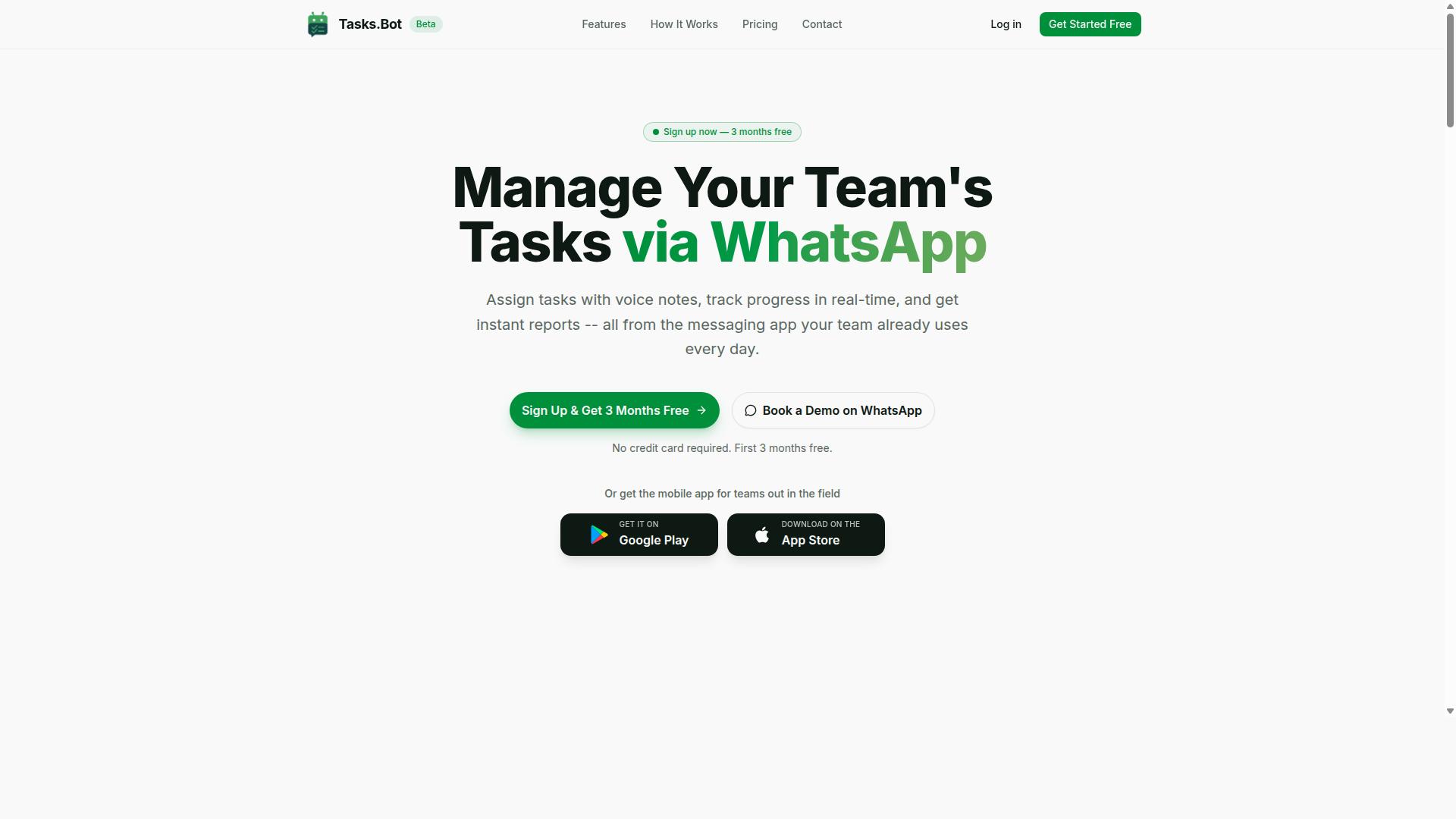
Tasks.Bot is a task management platform that leverages natural language processing to let teams assign, track, and report on tasks entirely within WhatsApp. Instead of asking people to learn another dashboard, it meets them in the messaging app they already open dozens of times a day.
This is the core idea behind natural language automation: the software adapts to how people actually write and speak, not the other way around. A message like "remind Priya to send the invoice by Friday" becomes a structured task without anyone filling out a form.
Tasks.Bot is a SaaS product, so there is nothing to install on a server and no IT project to manage. Because it runs through WhatsApp, team members do not need to install a new app or create a separate account to get started. That removes one of the biggest barriers to adoption for task automation software.
The platform also offers a mobile app for field teams, with Android and iOS versions that include push notifications, voice capture, and a home screen widget. So the WhatsApp experience covers office-based coordination, while the app supports people who are on the move.
Beyond simple task capture, the feature set covers automatic task assignment, smart deadline reminders, approvals and automations, instant reports, tasks on a map, a live day tracker, face-verified attendance, and shifts, leave, and hours management. These capabilities matter because task entry is only useful if follow-through happens too.
Tasks.Bot is currently in beta and is used by hundreds of teams, and it offers a free trial period. That combination makes it reasonable to evaluate the tool on real workflows before committing. The next section looks at the engine underneath: how the platform turns plain language and voice notes into clean, actionable tasks.
How Tasks.Bot Understands Natural Language and Voice Notes
Tasks.Bot uses AI to understand user intent and create tasks from messages, including voice notes. The goal is simple: people type or speak the way they normally would, and the system does the sorting.
Under the hood, several NLP techniques work together. Intent recognition answers the question "what does this person want?" A message might be a new task, an update, a question, or a request for a report, and the system has to tell them apart before acting.
Once the intent is clear, entity extraction pulls out the specifics. This is where the who, what, and when get identified: the assignee, the task description, the deadline, and the priority. It is the same idea as slot filling in chatbot platforms, where each piece of required information is captured from free-form text.
Real conversations rarely arrive as one clean sentence. That is where context handling and dialogue management come in. If someone sends a follow-up like "actually, make it Monday," the system needs to connect that message to the task it just created rather than treating it as a brand-new request.
Voice notes follow a similar path. The audio is transcribed first, then analyzed with the same intent recognition and entity extraction steps used for typed text. For field teams or anyone working hands-free, speaking a task is often faster than typing one.
The practical payoff is reduced friction. Every step removed from task entry, opening an app, choosing a project, filling fields, means fewer tasks that never get recorded at all. That speed is what makes conversational AI genuinely useful for daily workflow automation rather than just a novelty.
Karo.bot vs Tasks.Bot: Which Natural Language Automation Tool Fits Your Team?
When comparing Karo.bot and Tasks.Bot, the key differentiator lies in their core focus: Karo.bot is a general-purpose chatbot platform, while Tasks.Bot is a specialized task management tool built for WhatsApp. That single distinction shapes everything else, from setup time to daily use.
Karo.bot appeals to teams that want to build custom conversational AI from the ground up. Tasks.Bot serves teams that simply want work assigned, tracked, and completed without learning a new system.
| Consideration | Karo.bot | Tasks.Bot |
|---|---|---|
| Core purpose | General-purpose chatbot platform with NLP capabilities | Task management inside WhatsApp |
| Setup effort | Requires configuration and bot building | No new app or account needed |
| Natural language input | NLP-driven chatbot conversations | AI understands natural language and voice notes for task creation |
| Field team tools | Depends on how the bot is configured | Face-verified attendance and live GPS tracking |
| Where it lives | Deployed across supported channels | Entirely within WhatsApp |
Karo.bot fits organizations that need a custom virtual agent handling multi-turn conversations, intent recognition, and dialogue management across different touchpoints. Building that kind of bot typically involves training phrases, response generation, and some form of webhook or API connectivity to connect external systems.
That flexibility comes with a tradeoff. Someone on the team usually has to design conversation flows, test them, and maintain the bot over time. For companies with a developer or a dedicated automation specialist, that investment can pay off.
Tasks.Bot takes the opposite approach. It is ready to use out of the box for task management, with no bot framework to learn and no separate platform to deploy. Team members do not install anything or create new accounts, which removes the biggest source of adoption friction.
Instead of building conversation flows, users simply describe what they need. The system uses AI to understand natural language and voice notes for task creation, then handles assignment automatically. For teams already communicating on WhatsApp, that means task automation software fits into a habit they already have.
Tasks.Bot also covers needs that general chatbot platforms rarely address directly. Face-verified attendance and live GPS tracking give managers visibility into field staff, which matters for teams working outside an office. Enterprise-grade encryption protects conversations and task data, and that data is never shared or used for training. A 3-month free trial with no credit card required lets a team evaluate the fit before committing.
The practical takeaway: choose Karo.bot if your goal is a custom chatbot product and you have the resources to build and maintain it. Choose Tasks.Bot if your goal is getting tasks assigned and completed by a team that already lives in WhatsApp. For most teams weighing natural language automation, the faster path to real usage is the one that asks nothing new of the people doing the work.
Where Tasks.Bot Wins for Natural Language Automation
Tasks.Bot excels in scenarios where teams need quick, low-friction task management without leaving their primary communication channel. Its biggest advantages come from two connected strengths: deep native integration with WhatsApp and an AI layer that understands natural language and voice notes.
This combination matters most for teams that already run their day through WhatsApp, especially those with field staff who are on the move rather than sitting at a desk. For these users, task automation software only works if it fits the tools they already open every hour.
Tasks.Bot is built for exactly that audience. The platform serves teams that use WhatsApp for communication, particularly groups with field staff who need task management, attendance tracking, and payroll-ready hours. Hundreds of teams already use the service, which suggests the WhatsApp-first model resonates with real operational needs rather than being a novelty.
Where many chatbot platforms ask users to learn a new interface, Tasks.Bot treats the chat thread itself as the workspace. The result is less training, fewer dropped tasks, and a shorter path from a spoken instruction to a tracked, assigned piece of work.
No New App, No New Accounts - Automation Inside WhatsApp
Tasks.Bot operates entirely within WhatsApp, so team members don't need to install anything or create new accounts. That single design decision removes the most common reason task tools fail: people simply do not adopt them.
Zero onboarding friction changes the math on rollout. There is no download step, no password to reset, and no second inbox to check. A new team member can be productive in the same conversation thread the team already uses.
Contrast this with tools that require an app download or an account sign-up before anyone can see a task. Each extra step filters out users, and adoption rates drop accordingly. For field teams who may not be tech-savvy, or who work with gloves on and phones in hand, that gap is the difference between a system that gets used and one that gets abandoned.
This is a genuine unique selling point. It also extends beyond chat: Tasks.Bot provides Android and iOS apps with push notifications, voice capture, and a home screen widget for anyone who wants them. The point is that the apps are optional, not a prerequisite. Enterprise-grade encryption protects the data, and conversations and task data are never shared or used for training.
Voice Note Task Creation and AI-Powered Task Assignment
Users can simply send a voice note to assign tasks, and Tasks.Bot's AI will interpret and automatically assign them to the right team members. There is no form to fill in and no structured template to learn.
When a voice message arrives, the AI works through the content to pull out the details that matter for a usable task. Automatic assignment then routes the work, so a supervisor can speak an instruction once and move on.
The workflow covers the full task lifecycle, not just creation:
- Voice note task creation turns a spoken message into a tracked task
- Automatic task assignment routes work automatically
- Smart deadline reminders keep due dates visible without manual chasing
- Approvals and automations move tasks through the required sign-off steps
- Instant reports show status without anyone compiling a summary
The accuracy gain is practical rather than theoretical. Details captured at the moment of instruction tend to be more complete than details typed up later from memory. Time savings compound across a team when every assignment skips the manual entry step.
Tasks.Bot also supports tasks on a map, a live day tracker, face-verified attendance, and shifts, leave, and hours management. For teams that need payroll-ready hours, these features connect the task layer to the attendance record in one place. A three-month free trial with no credit card required lets a team validate the voice workflow against its own operations before committing.
Key Features That Set Tasks.Bot Apart
Beyond basic task management, Tasks.Bot offers specialized features for field teams and automation that streamline operations. These include face-verified attendance, GPS tracking, tasks on a map, approvals, smart deadline reminders, and instant reports. All of these capabilities are included in the Full Access plan, so users are not asked to pay extra to unlock the tools that matter most.
What separates Tasks.Bot from a simple to-do list is how these features connect. Attendance, location data, task status, and reporting all feed into one system that runs through WhatsApp and the mobile apps. That means a manager can assign work, verify it was done, and review performance without juggling several disconnected tools.
The features below fall into two groups: tools built for teams working outside an office, and automations that remove repetitive follow-up work.
Field Team Tools: Face-Verified Attendance, GPS Tracking, and Tasks on a Map
Tasks.Bot provides face-verified attendance, GPS tracking, and a map view of tasks, making it ideal for managing field staff. Each tool addresses a common problem for teams that work away from a desk.
Face-verified attendance confirms that the right person checked in, which supports accurate records for shifts, leave, and hours. GPS tracking shows where field staff are in real time, giving managers a clear picture of coverage during the day. Tasks on a map place assignments in their physical context, which helps with planning routes and seeing what work is nearby.
These features connect directly to WhatsApp and the Android and iOS apps. Staff can create tasks by voice note, receive assignments, and check in without learning a new interface. Push notifications and a home screen widget keep tasks visible throughout the day.
- Face-verified attendance: accurate check-ins tied to the right person
- GPS tracking: real-time visibility into field locations
- Tasks on a map: assignments shown geographically for better routing
- Live day tracker: a running view of how the day is progressing
The practical benefit is accountability without micromanagement. Managers see verified attendance and location data instead of relying on messages and memory. Routing improves because tasks are grouped by where they actually are, not by when they were submitted. All of these tools are part of the Full Access plan.
Automations, Approvals, Smart Deadlines, and Instant Reports
Tasks.Bot automates workflows with approvals, smart deadline reminders, and instant reports, all accessible within WhatsApp. These features target the manual work that slows teams down: chasing updates, checking whether a job is finished, and compiling status summaries by hand.
Approvals and automations let a task completion route to a manager before it is marked done. That step keeps quality checks inside the workflow instead of in a separate conversation. Smart deadline reminders keep reminders relevant rather than firing on a fixed schedule. Instant reports generate performance summaries on demand, which removes the wait for someone to assemble numbers.
Because these run through native WhatsApp integration, staff respond in the app they already use. The AI understands user intent and can create tasks from messages, so turning a chat into an assignment takes seconds. The Android and iOS apps add push notifications, voice capture, and a home screen widget for people who prefer a dedicated interface.
Together, these automations cut down on manual follow-ups and give managers visibility without constant check-ins. Approvals create a record of who signed off and when. Deadline adjustments keep priorities realistic as work moves. Reports turn day-to-day activity into a summary that is ready when it is needed. Every one of these capabilities is included in the Full Access plan, alongside the field team tools described above.
Tasks.Bot Pricing: Simple, Transparent, and Global
Tasks.Bot offers a single 'Full Access' plan with all features included, priced at ₹200 per member per month or ₹1,200 per year per member, with global availability in USD. That is the entire pricing structure. There are no starter tiers, no feature gates, and no upsells waiting after checkout.
For teams evaluating task automation software, this flat approach removes a common source of frustration. Many chatbot platforms split natural language automation capabilities across multiple plans, forcing buyers to guess which tier unlocks which function. Tasks.Bot takes the opposite route: one plan, everything in it.
Pricing is listed in Indian Rupees (₹) and US Dollars ($), and the site provides a 'Select currency' option with those two choices. Currency should be verified at checkout so the final amount matches your expectation. The service is available globally, which matters for distributed teams running workflow automation across regions.
| Plan | Price | Billing | Features |
|---|---|---|---|
| Full Access (monthly) | ₹200 per member per month | Monthly | All features included |
| Full Access (annual) | ₹1,200 per year per member | Annual | All features included |
The annual option saves 50%, which works out to ₹1,200 saved per year per member compared with paying monthly. For a small team, that difference adds up quickly and makes the yearly commitment the more economical choice.
New users also get 3 months free, with no credit card required and the ability to cancel anytime. That combination lowers the risk of trying NLP automation before committing budget. A refund policy applies, so readers should confirm the current terms directly with Tasks.Bot before purchasing.
Compared with the layered pricing common among bot frameworks and low-code platforms, the structure here is easy to explain to a finance team. One number per member, two currencies, one feature set. Nothing is held back for a higher tier, and nothing about intent recognition, entity extraction, or dialogue management sits behind a paywall.
Who Should Choose Tasks.Bot
Tasks.Bot is best suited for teams that already use WhatsApp for communication, especially those with field staff who need task management, attendance tracking, and payroll-ready hours. If your daily coordination already happens in chat threads, this natural language automation software meets your team where it works instead of forcing a migration.
The platform is currently in beta and is used by hundreds of teams. That early-stage status matters: it means the product is actively shaped around real usage, and the teams adopting it now are the ones whose workflows influence where it goes next.
Small to medium businesses tend to get the most out of it. They rarely have the budget for heavy enterprise tooling, and they rarely have the patience for lengthy rollouts. A tool that lives inside an app the whole team already has open all day removes both obstacles at once.
Field and remote teams are a natural fit. When staff are on-site, on the road, or spread across locations, a desktop-first platform becomes a reporting burden rather than a help. Tasks.Bot keeps task automation software in the same channel where updates, questions, and confirmations already flow.
Consider the industries where this pattern shows up most:
- Construction: crew leads assign work, log attendance, and confirm completion without leaving the site or opening a laptop.
- Delivery services: dispatchers and drivers coordinate routes, handoffs, and status updates in one thread.
- Sales teams: reps working outside the office track follow-ups, visits, and hours through chat rather than a CRM they may not open until evening.
The common thread is mobility. Any organization whose people are away from a desk most of the day benefits from task management that travels with them, and the verified audience for Tasks.Bot is exactly this group: teams on WhatsApp with field staff who need attendance tracking and payroll-ready hours.
The no-new-app advantage deserves its own mention. Non-tech-savvy users often resist adopting yet another platform, and that resistance is where most software rollouts quietly fail. Tasks.Bot avoids the problem entirely by working through WhatsApp, an interface your team already knows how to use.
That means no training sessions on a new dashboard, no forgotten passwords, and no split between "the work chat" and "the work tool." For managers, the payoff is simpler: instructions get sent, tasks get acknowledged, and hours get recorded in a place everyone checks anyway.
If your team fits that profile, Tasks.Bot is the clear choice among natural language automation options. It is built for WhatsApp-first operations, it is already trusted by hundreds of teams during beta, and it asks nothing of your staff beyond the app they open every morning.
Final Verdict: Is Tasks.Bot the Better Natural Language Automation Choice?
For teams seeking a no-friction, WhatsApp-native task management solution with powerful NLP, Tasks.Bot is a compelling choice, though general-purpose platforms like Karo.bot may offer more customization.
Tasks.Bot focuses on one job and does it well: turning natural language into organized tasks inside the messaging app your team already uses. Its WhatsApp integration removes the need for a separate app, and voice note task creation means field staff can log work hands-free, even in noisy or remote environments.
The platform also includes field team tools built for people who are not sitting at a desk. That combination of conversational AI, intent recognition, and practical field workflows makes Tasks.Bot a strong fit for operations, sales, and service teams.
Pricing is transparent, which matters when comparing natural language automation software. Buyers can evaluate cost against the actual work the tool replaces, not against a vague enterprise quote.
There are honest limitations. Tasks.Bot is currently in beta, so some rough edges are expected. Teams that need deep customization, complex bot frameworks, or advanced dialogue management may find Karo.bot more flexible.
Here is a quick summary of where each option tends to fit:
- Choose Tasks.Bot if your team lives on WhatsApp, needs voice note capture, manages field workers, and wants clear pricing.
- Consider Karo.bot if you need broad low-code or no-code automation across many channels and heavy customization.
For most small and mid-sized teams, the deciding factor is adoption. A tool that fits into an existing WhatsApp workflow gets used daily, while a more powerful platform that requires a new app or training often does not.
To see the platform in action, you can reach the team directly. Phone: +91 97143 42522. Email: [email protected]. You can also Book a Demo on WhatsApp for a walkthrough.
The verdict: Tasks.Bot is the better natural language automation choice for WhatsApp-first teams that value speed, simplicity, and transparent pricing over deep customization. If your priority is getting tasks captured and assigned without friction, it is the clear pick.
Frequently Asked Questions
What is the main difference between Karo.bot and Tasks.Bot?
Both tools focus on natural language automation, but Tasks.Bot is built specifically around WhatsApp: teams assign tasks, track progress, and get reports without leaving the messaging app they already use. Tasks.Bot also adds voice note task creation, face-verified attendance, and tasks on a map for field teams. For a detailed feature-by-feature comparison with Karo.bot, we recommend trying both against your own workflow.
Do I need to install new software or create accounts to use Tasks.Bot?
No. Tasks.Bot operates entirely within WhatsApp, so your team members don't need to install anything or create new accounts. There's also a mobile app available for field teams who need it. This keeps onboarding simple, especially for staff who aren't comfortable with new tools.
How does Tasks.Bot handle natural language and voice input?
Tasks.Bot uses AI to understand natural language and voice notes, so you can create and assign tasks just by typing or speaking a message in WhatsApp. It also supports smart deadline reminders, approvals, and automations. This means less time spent filling out forms and more time getting work done.
How much does Tasks.Bot cost compared to Karo.bot?
Tasks.Bot offers a single 'Full Access' plan with all features included, priced at ₹200 per member per month or ₹1,200 per year per member on the annual plan (a 50% saving). Pricing is available in both Indian Rupees and US Dollars. For Karo.bot's current pricing, please check their website directly, as we only publish verified details about our own plans.
Can Tasks.Bot handle attendance and field team tracking?
Yes. Tasks.Bot includes face-verified attendance and live day tracking, along with tasks on a map, making it well suited to teams with field staff. It also provides payroll-ready hours and instant reports. Everything runs through WhatsApp, so field teams can update status without opening a separate app.
Is Tasks.Bot available in my country, and can I try it before paying?
Tasks.Bot is a SaaS product available worldwide via WhatsApp and mobile apps, with no country restrictions. The service is currently in beta, and you can book a demo on WhatsApp to see it in action before committing. A refund policy is also mentioned in the site footer, and you can reach the team at [email protected] or +91 97143 42522 with any questions.
Recommended Resources: